TL;DR
- Choosing an AI voice agent voice starts with a short voice brief, not with browsing the Voice Library.
- Decide where the voice comes from: a library voice, a voice you design, an instant clone or a professional clone. Each has different effort, plan and latency trade-offs.
- Test your shortlist on your own scripts with the phone-style filter on, then tune speed and pronunciation in the agent's voice settings.
- Compare two voices with real callers before you commit.
The voice sounded perfect in the Voice Library preview. On the first live calls, it read account numbers too fast, mispronounced your product name and sounded muffled over the phone.
Choosing an AI voice agent voice in ElevenLabs is easy to rush, because the library is full of voices that sound great reading a sample sentence. The voice that wins a preview isn't always the one that works on a call. Below is a step-by-step process for choosing and setting up a voice for an ElevenLabs agent, using the settings ElevenLabs provides for agents.
Haass is an official ElevenLabs implementation partner. The settings in this guide come from ElevenLabs' own documentation.
What Do You Need Before You Choose a Voice?
You'll need:
- An agent in ElevenAgents
- Ten to twenty real lines from your call scripts, including names, numbers and a difficult moment such as an apology
- A phone number connected to the agent for test calls
- The person who signs off on brand decisions, so the final choice doesn't get reopened later
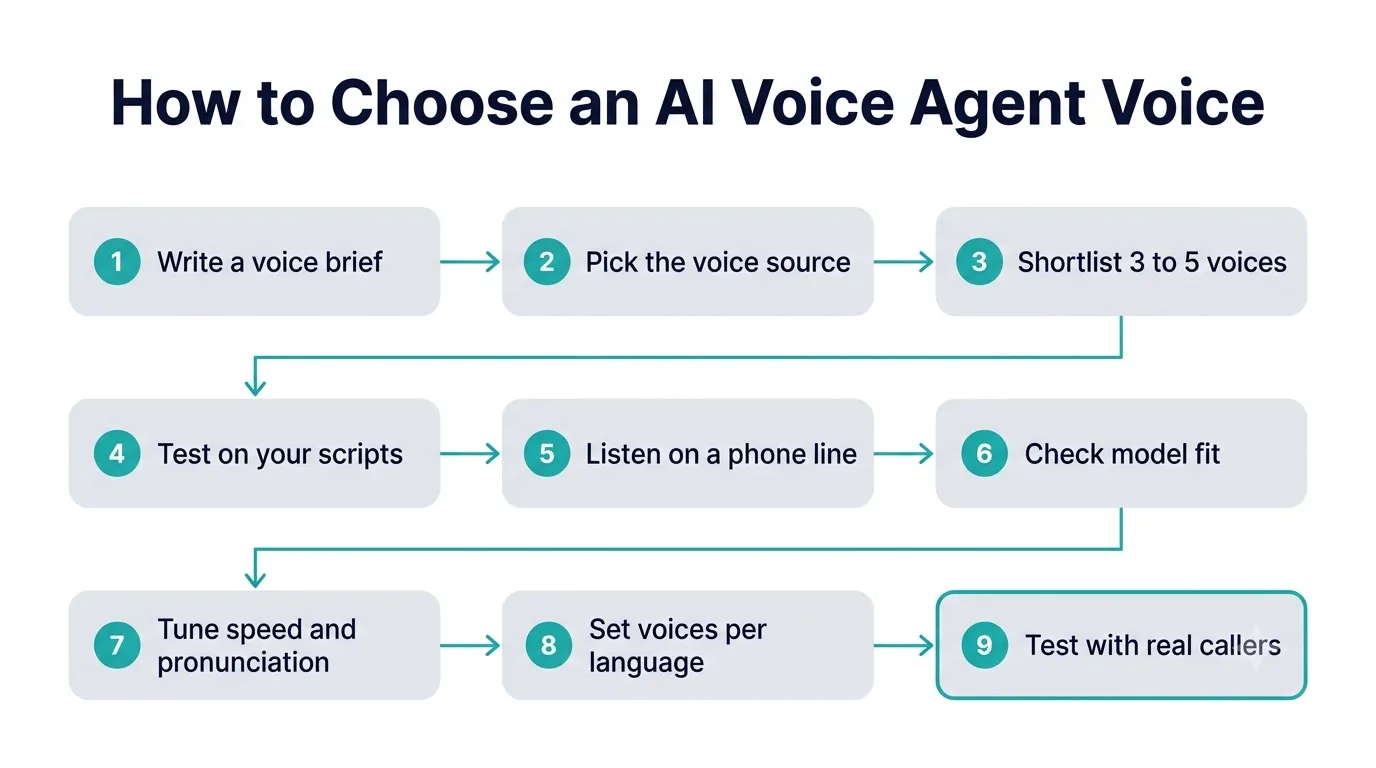
How Do You Choose an AI Voice Agent Voice? 9 Steps
Step 1: Write a Voice Brief
Before you listen to anything, write down what the voice needs to do. A short brief stops the choice turning into personal taste.
Answer these questions:
- Who calls you? Age range, region, and whether callers are stressed, busy or relaxed.
- What does the agent do? Booking appointments needs a different tone from handling complaints or collecting payments.
- What should callers feel? Reassured, welcomed, efficient, or something else.
- Which languages and accents do you need to support?
- What must always be clear? Numbers, product names, addresses, legal wording.
Clarity matters more than warmth, because a voice callers struggle to understand fails the brief however good it sounds. Keep accessibility in mind too: older callers and people on poor connections need a voice that's easy to follow at normal speed.
Step 2: Decide Where the Voice Comes From
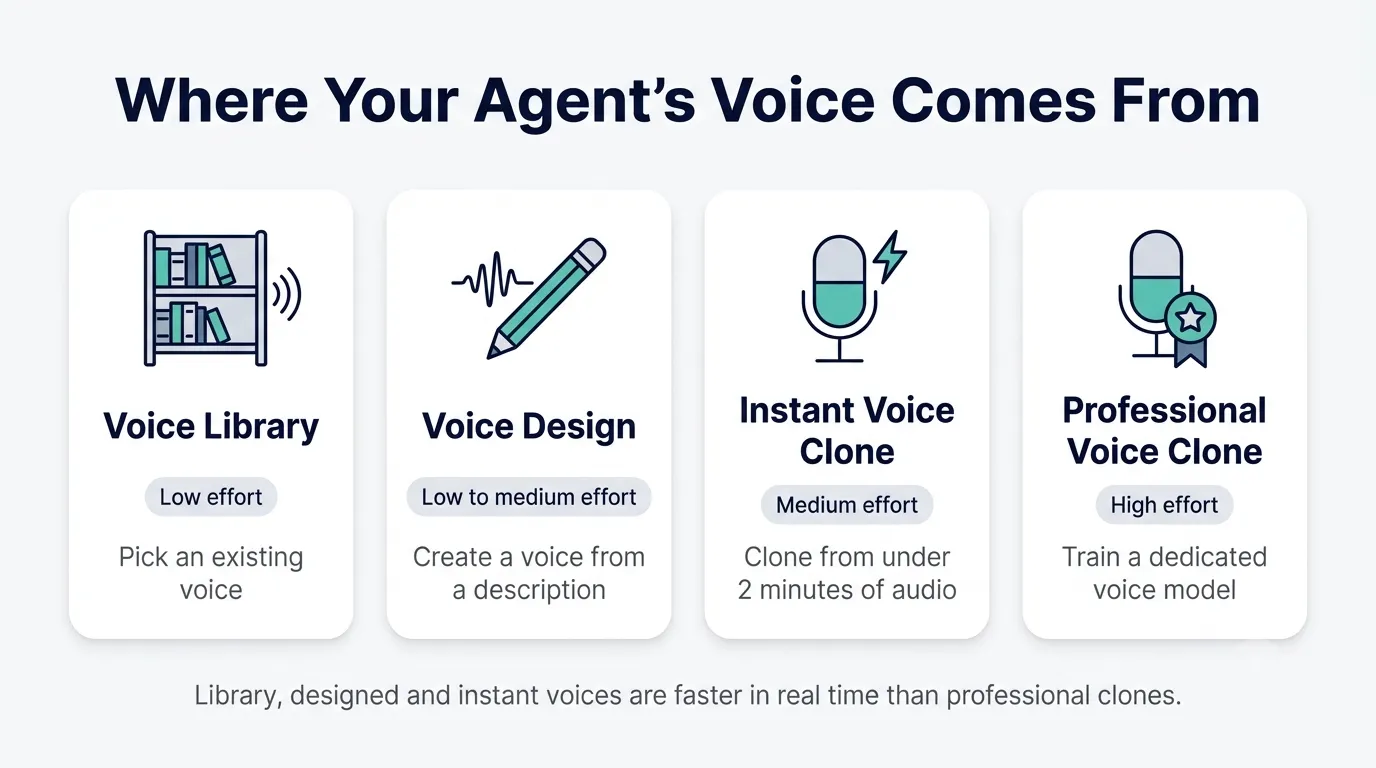
ElevenLabs gives you four ways to get a voice. According to ElevenLabs' help center, Voice Design is available to all users, Instant Voice Cloning starts on the Starter plan, and Professional Voice Cloning starts on the Creator plan.
| Option | What it is | Effort | Best for |
|---|---|---|---|
| Voice Library | Choose from existing voices shared on ElevenLabs | Low | Most agents, especially pilots |
| Voice Design | Create a new synthetic voice from a text description | Low to medium | A distinctive voice without recording anyone |
| Instant Voice Clone | Clone a voice from under two minutes of audio | Medium | A recognizable voice, quickly |
| Professional Voice Clone | Train a dedicated model on a larger set of recordings | High | A long-term brand voice, such as a spokesperson |
A few practical points:
- You need permission to clone a voice. Only clone voices you have written consent to use.
- Voice type affects speed. ElevenLabs' latency guide says default voices, synthetic voices and Instant Voice Clones are faster than Professional Voice Clones. For a real-time agent, that's worth weighing against the extra quality of a professional clone.
- Start simple. For most agents, a library or designed voice is the right place to begin. Clone only when a recognizable brand voice matters to the business case.
Step 3: Shortlist Three to Five Voices
ElevenLabs' own advice for agents is to choose voices that match your target language and region, for the most natural pronunciation. Use the Voice Library filters to narrow the list by language, accent, gender and use case, then save three to five candidates.
Stop at five, because with more than that, testing gets rushed and the choice drifts back to gut feel.
Step 4: Test Every Voice on Your Own Scripts
Preview sentences are written to sound good, while your real scripts include awkward names, numbers and long answers. Run each shortlisted voice through the same set of lines:
- A greeting and an introduction that says it's an AI assistant
- A phone number, a date and an amount of money
- Your company name, product names and any unusual terms
- A long answer, such as explaining a policy
- An apology or a line for an upset caller
- A transfer to a human
Listen for clarity first, then tone. Note where each voice stumbles. The best AI voice generator for your business is the one that handles your hardest lines well.
Step 5: Listen the Way Callers Will
Most people choose a voice on good headphones, while callers hear it through a phone.
Make test calls to your agent from a mobile phone and a landline if you can, and listen on the phone's speaker as well as on earbuds. For outbound calls, ElevenLabs' agent audio environment settings let you add a phone-style filter to outbound agent audio, which helps you hear how the voice will come across on a real line. Voices with a lot of low-end warmth can sound muffled on a phone. Brighter, clearer voices often hold up better.
Step 6: Check the Voice Works With Your Model
Text-to-speech selection covers the model as well as the voice. The same voice can sound different on different models, and some voice features depend on the model you use.
- Test with the model you'll run in production. Eleven v4 Turbo, Flash v2.5 and Eleven v3 Conversational each deliver a voice slightly differently. Our comparison of ElevenLabs v4, v3 and Flash v2.5 covers how they differ on quality and latency.
- Check feature support. ElevenLabs notes that phoneme-based pronunciation control is only available with the Flash v2 model.
- Realtime models work differently. On an agent using a Realtime model, the voice still applies, but the agent's text-to-speech model and expressive mode settings don't.
If speed matters, keep the voice type in mind as well. A professional clone on a fast model can still add latency compared with a library or designed voice. Our guide on cutting ElevenLabs agent latency covers the rest of the call path.
Step 7: Tune Speed and Pronunciation
ElevenLabs' voice customization settings for agents include two controls worth tuning once you've picked a voice:
Speed. You can set the agent's speaking speed between 0.7x and 1.2x. ElevenLabs recommends starting at the default of 1.0 and adjusting after testing with your own content. A slightly slower speed can help when the agent reads numbers or instructions. Don't slow it so much that the agent sounds hesitant.
Pronunciation dictionary. You can control how the agent pronounces specific words and phrases using IPA or CMU notation. Focus on your company name, product names, local place names and industry terms that aren't common in everyday speech. Test each entry with your chosen voice and model together, because pronunciation can change between models.
If your agent handles emotional conversations, such as complaints or support for distressed callers, test expressive mode as well. ElevenLabs describes it as context-aware emotional delivery powered by Eleven v3 Conversational. Our guide on how to make an ElevenLabs agent sound natural covers expressive mode and the prompt changes that matter alongside it.
Step 8: Set Voices for Each Language
If your agent serves callers in more than one language, one voice may not sound natural in all of them. ElevenLabs lets you configure language-specific voices, so the agent uses a different voice for each supported language.
Pick each language's voice with the same process: a short brief, a shortlist matched to the language and region, and a test on translated versions of your scripts with a native speaker listening.
If you want more than one voice in the same conversation, for example in storytelling or language tutoring, ElevenLabs' multi-voice support lets an agent switch between voices.
Step 9: Test With Real Callers and Compare
Your shortlist should be down to one or two voices by now. Put them in front of real callers before you commit.
Run each voice on a share of real traffic for a set period, then compare what happened on the calls:
- How often callers asked for a human
- How often they hung up early
- Whether the agent completed the task
- Any feedback from callers or your team
Read a sample of transcripts as well as the numbers. Comments like "sorry, can you repeat that?" usually point to a clarity problem with the voice.
Once you've chosen, lock the voice in and use it everywhere the agent appears, so callers hear one consistent voice. Using one voice everywhere is the simplest form of conversational AI branding.
Can You Use an AI Voice Clone for Business? Licensing and Consent
Commercial use needs a paid plan. ElevenLabs' free plan doesn't include a commercial license, so live agents should run on Starter or above.
Cloning needs consent. ElevenLabs states that you must have permission to clone a voice. If you clone an employee, a spokesperson or a voice actor, get written consent that covers how and where the voice will be used, and what happens if they leave or withdraw permission.
Plan your clone slots. Professional Voice Cloning starts on Creator, and higher plans include more professional clones. ElevenLabs' Business plan for agents includes 10 Professional Voice Clones, and Enterprise plans add custom terms for larger organizations. If you need several brand voices across teams or languages, include that in your plan choice.
Check library voice availability. ElevenLabs notes that voices with live moderation enabled can't be used in ElevenAgents. Confirm that the voice you choose works in your agent before you build your scripts around it.
What Mistakes Should You Avoid When Choosing an AI Voice Agent Voice?
Choosing from the preview alone. The sample sentence hides how a voice handles numbers, names and long answers.
Testing only in the browser. A voice can sound rich on headphones and muffled on a phone line.
Ignoring numbers and names. These are where callers lose trust fastest. Fix them with speed and the pronunciation dictionary.
Using one voice for every language. Pronunciation sounds most natural when the voice matches the language and region.
Cloning too early. A professional clone takes time to produce and can add latency. Prove the agent works with a library or designed voice first.
Changing the voice often. Regular callers notice when the voice changes, so choose carefully once and keep it.
Forgetting moderation. A library voice with live moderation enabled won't work in an agent.
Frequently Asked Questions
How do I choose a voice for my ElevenLabs agent?
Start with a short voice brief covering your callers, the agent's job and the languages you support. Shortlist three to five voices that match your language and region, test them on your own scripts over a phone line, tune speed and pronunciation in the agent's voice settings, then compare one or two voices with real callers before committing.
Should I use a library voice or clone a voice?
For most agents, a Voice Library or Voice Design voice is the best starting point. They're quick to set up and faster in real time than professional clones. Clone a voice when a recognizable brand voice matters, and only with written consent. Instant Voice Cloning starts on Starter, and Professional Voice Cloning starts on Creator.
Does the voice affect ElevenLabs agent latency?
Yes. ElevenLabs' latency guide says default voices, synthetic voices and Instant Voice Clones are faster than Professional Voice Clones. The model matters too, so test your chosen voice on the model you'll use in production, such as Eleven v4 Turbo or Flash v2.5, and measure response times on real calls.
Can I change how my ElevenLabs agent pronounces words?
Yes. ElevenLabs agents support pronunciation dictionaries, where you set how specific words and phrases are spoken using IPA or CMU notation. Use them for company names, product names and industry terms. Test each entry with your chosen voice and model, because phoneme-based pronunciation control is only available with the Flash v2 model.
Can my agent use different voices for different languages?
Yes. ElevenLabs lets you configure language-specific voices, so your agent uses a different voice for each supported language. This gives more natural pronunciation than using one voice for every language. Choose each voice with the same brief, shortlist and testing process, ideally with a native speaker listening.
What Should You Do Next?
Pick three voices, run them through your hardest scripts over a phone line, and narrow it down to the one callers will understand and trust. That's the voice to build your agent around.
If you'd like help choosing and setting up an AI voice agent voice in ElevenLabs, from the voice brief and pronunciation dictionary to ElevenLabs enterprise voices and cloning, send us your shortlist and a sample script and we'll help you test them on a real call. Talk to our team, or read our guide to choosing an ElevenLabs implementation partner.