Most Freshservice projects that run late don't run late because of the software. They run late because nobody agreed on ticket categories, the old tool's data was messier than expected, or the security team saw the SSO request two weeks before go-live.
This guide covers what a Freshservice implementation involves, how long it takes for teams of different sizes, the seven phases we run on every project, and the decisions that decide whether you go live on time. It's written for IT heads, service desk managers and project owners planning a move to Freshservice, whether from email, spreadsheets, Jira, Zendesk or ServiceNow.
Haass implements Freshservice for IT teams. The timelines below come from our own delivery work.
Key Takeaways
- A Freshservice implementation for around 25 agents takes 6 to 8 weeks. Around 100 agents takes 12 to 14 weeks. Enterprise rollouts with multiple workspaces take 20 to 25 weeks.
- A standard rollout covers six modules: Incident, Problem, Change, Release, Service Request (the service catalog) and Knowledge.
- Every project runs through seven phases, from discovery to hypercare.
- The biggest delays come from undecided process design, dirty migration data and late integration approvals.
- Launching a smaller first scope and adding modules after go-live is faster than building everything up front.
What a Freshservice Implementation Involves
Freshservice is Freshworks' IT service management (ITSM) platform. It's built around ITIL practices, so the core modules come ready to use. You could sign up today and log a ticket within the hour.
An implementation is the work of making Freshservice match how your IT team runs. That means deciding how tickets are categorised and prioritised, what your SLAs are, who approves changes, what employees can request from the portal, and which systems Freshservice connects to. The configuration itself is the smaller part of the job. Most of the time goes into decisions.
The six core modules
These are the modules we implement in a standard Freshservice rollout:
| Module | What it handles |
|---|---|
| Incident Management | Anything broken or not working: a laptop that won't boot, a VPN that won't connect, an app throwing errors |
| Problem Management | The root cause behind repeated incidents, so the same issue stops coming back |
| Change Management | Planned changes to systems, with risk assessment and approvals before anything goes live |
| Release Management | Groups of changes deployed together, with build, test and rollout plans |
| Service Request Management | Requests for something new (a laptop, software access, a new joiner setup) through the service catalog |
| Knowledge Management | Solution articles for agents and self-service answers for employees |
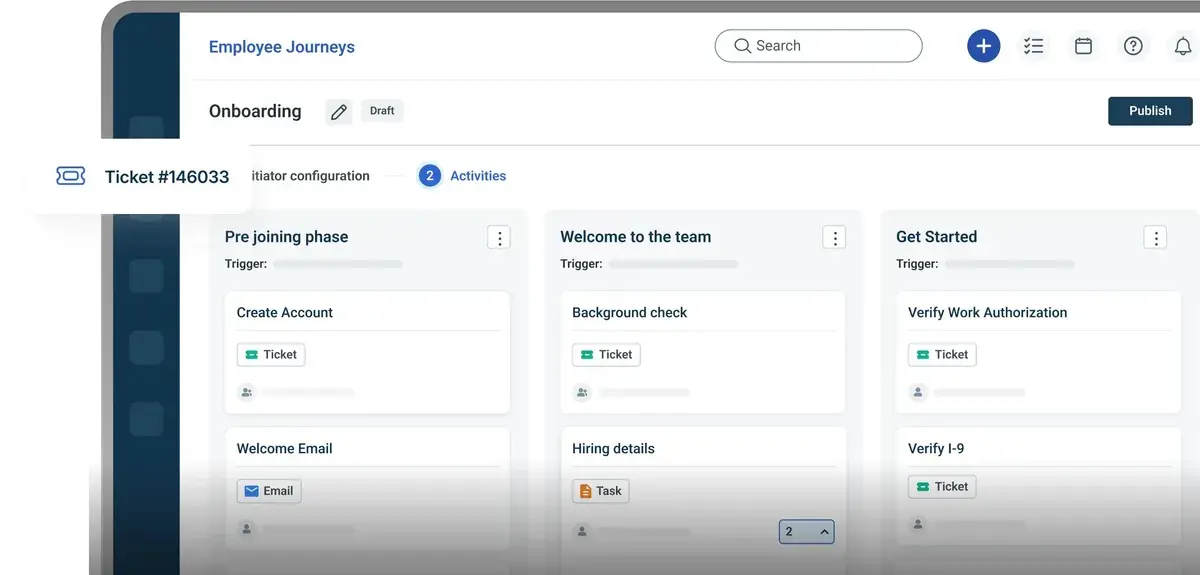
Teams sometimes add asset management, SaaS management, or enterprise service management for HR and facilities. Those extend the scope and the timeline, so we usually treat them as a second phase.
Freshservice Implementation Timeline
The size of your team and the number of workspaces drive the timeline more than anything else.
| Organisation size | Typical scope | Timeline |
|---|---|---|
| Around 25 agents | One IT team, six core modules, email and portal, a focused service catalog, basic integrations | 6 to 8 weeks |
| Around 100 agents | Several support groups, six core modules, a fuller service catalog, SSO, collaboration and monitoring integrations, data migration | 12 to 14 weeks |
| Enterprise | Multiple workspaces or regions, complex approval chains, large migrations, many integrations, phased rollout across teams | 20 to 25 weeks |
Three things push a project toward the top of its range:
- Migration volume. Moving five years of tickets, attachments and knowledge articles takes longer than starting fresh.
- Approval chains. Every extra approver on change management or catalog items adds design and testing time.
- Integrations that need security review. SSO, directory sync and API connections often wait in another team's queue.
If you're comparing platforms on deployment speed, we cover that in Freshservice vs ServiceNow: which is faster to deploy?
The 7 Phases of a Freshservice Implementation
Each phase below covers what happens, who needs to be involved, and what usually causes delays.
Phase 1: Discovery and planning
We start by understanding how your service desk runs today. That includes the tools in use, monthly ticket volume, the most common request types, the support groups, current SLAs (written or unwritten), and what's going wrong.
The output is a project plan with a confirmed scope, a go-live date, named owners on your side, and the success measures you'll track after launch, such as first response time, resolution time and how many requests come through the portal instead of email.
Who's involved: IT head or service desk manager, one or two senior agents, the project owner.
What slows it down: No single decision-maker. When three managers each own part of the service desk, discovery turns into negotiation.
Phase 2: Process design
This is where most of the real work happens. We map your processes to Freshservice's ITIL-based modules and agree on:
- Ticket categories and sub-categories
- Priority matrix (impact and urgency)
- SLA policies per priority and per group
- Support groups and routing rules
- Change types (standard, normal, emergency) and who approves each
- Problem management triggers, such as when repeated incidents become a problem record
- Release planning and how releases link to changes
Everything gets written into a design document that your side signs off before configuration starts.
Who's involved: Service desk manager, team leads for each support group, the change advisory board (CAB) owner if you have one.
What slows it down: Copying the old tool's setup. A category tree with 200 options that agents never used will cause the same problems in Freshservice. Teams that use the move as a chance to simplify go live faster.
Phase 3: Service catalog and knowledge design
The service catalog is what employees see when they ask IT for something. We decide which requests go into it, what each request form asks for, who fulfils it, which approvals it needs, and how long fulfilment should take.
Start with the 10 to 15 requests that make up most of your volume, such as new laptops, software access, password resets and new joiner setups. You can add more after go-live.
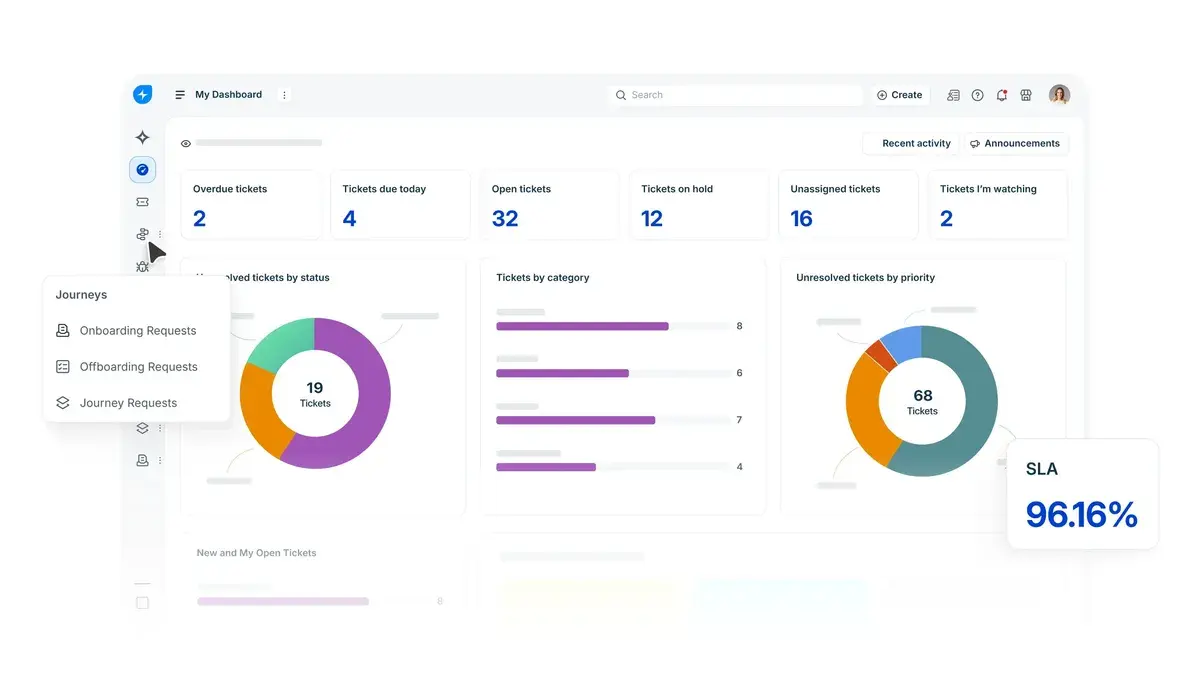
Knowledge planning happens alongside. We identify which articles exist, which need rewriting, and which common issues have no article yet. Good articles reduce incident volume once employees can find answers in the portal.
Who's involved: Service desk manager, owners of each catalog item (often outside IT, such as HR for onboarding requests).
What slows it down: Catalog items without an owner. If nobody is responsible for fulfilling "Request a monitor", the item sits in limbo.
Phase 4: Configuration and integrations
With the design signed off, we build it. This covers the six modules, the agent and requester setup, SLA policies, automation rules, notification templates, the self-service portal and its branding, and the service catalog forms.
Then the integrations. The common ones are:
- Email, so existing support mailboxes create tickets automatically
- SSO and directory sync through Azure AD (Microsoft Entra ID), Okta or Google Workspace, so employees log in with their work account and user records stay current
- Collaboration tools such as Microsoft Teams or Slack, so employees can raise tickets and agents get alerts where they already work
- Monitoring tools, so alerts open incidents without anyone typing them in
Who's involved: Freshservice admin, IT security, owners of the systems being connected.
What slows it down: Integration approvals. Request SSO and API access in week one, not in the configuration phase.
Phase 5: Data migration
If you're moving from another tool, this phase brings over historic tickets, users, knowledge articles and, if in scope, asset records.
Clean the data before moving it. Remove duplicate users, close stale tickets, merge duplicate knowledge articles and agree on how old categories map to new ones. We run a trial migration into a test environment first, check the results with your team, and only then run the final migration.
Who's involved: Admin of the old tool, service desk manager for mapping decisions.
What slows it down: Discovering data problems during the final migration instead of the trial run.
Phase 6: Testing and training
Testing uses real scenarios from your service desk, not generic test tickets. For example: a P1 incident at 11pm, a change request that needs CAB approval, a new joiner request that triggers tasks for IT and HR, a release with linked changes. Each scenario checks routing, SLAs, notifications and approvals.
Training happens in two tracks. Agents learn how to work tickets, link incidents to problems, raise changes and use knowledge articles. Employees get a short guide on using the portal and the service catalog, plus a clear message about what changes on launch day.
Who's involved: A group of agents for testing (ideally your most sceptical ones), all agents for training, internal comms for the employee announcement.
What slows it down: Testing only the happy path. The scenarios that break in production are the ones nobody tested.
Phase 7: Go-live and hypercare
Go-live is usually a switch of the support email address and the portal link, plus the employee announcement. Your old tool should stay available in read-only mode for reference.
Hypercare covers the first weeks after launch. We watch ticket routing, SLA breaches, automation rules and portal usage daily, then fix whatever didn't behave as designed. Most of the adjustments are small: a routing rule that sends tickets to the wrong group, an SLA set too tight for the team's real capacity, a catalog form missing a field.
Who's involved: Service desk manager, Freshservice admin, the implementation team.
What slows it down: Treating go-live as the finish line. The first month of real usage tells you more than the whole design phase.
What Gets Decided for Each Module
The phases above apply to the whole project. Within them, each of the six modules has its own set of decisions. These are the ones we work through with every client.
Incident Management
The main decisions are the category tree, the priority matrix and the SLA for each priority. You also decide how incidents arrive (email, portal, Teams or Slack, monitoring alerts), which group receives each category, and what counts as a major incident. Major incidents need their own path: who gets paged, how often stakeholders get updates, and who declares the incident resolved.
Problem Management
Most teams skip this module at first and regret it later. The key decision is the trigger for opening a problem record. A common rule is three or more incidents with the same cause within a set period, or any major incident. You also decide who owns problem investigation and how known errors and workarounds get published so agents can use them on new incidents.
Change Management
Change design starts with the three change types. Standard changes are pre-approved and routine, such as applying a regular patch. Normal changes need assessment and approval. Emergency changes need fast approval outside the usual cycle. For each type you decide the risk questions, the approvers, whether the CAB reviews it, and the required plans (implementation, rollback and testing). Teams with a weekly CAB meeting usually map that schedule directly into Freshservice.
Release Management
Releases group related changes into a single deployment. The decisions here are release types, the stages a release moves through, who signs off each stage, and how releases link back to their changes. Teams that ship software or roll out infrastructure updates in batches get the most from this module. Teams that rarely bundle changes can keep the release setup light.
Service Request Management
This is the service catalog. For each item you decide the form fields, who can request it (everyone, specific departments or specific locations), the approval chain, the fulfilment tasks and the target fulfilment time. Multi-step requests such as new joiner onboarding often create tasks for several teams at once, so the order of those tasks and their dependencies need agreeing early.
Knowledge Management
Knowledge design covers the folder structure, who can write and approve articles, which articles are visible to employees and which are agent-only, and how often articles get reviewed. Agents should be able to turn a resolved ticket into a draft article, so useful fixes don't stay buried in ticket history.
What Slows a Freshservice Implementation Down
The same problems come up across projects of every size:
Process decisions left open. If categories, priorities and SLAs aren't agreed before configuration starts, the build gets redone.
Rebuilding the old tool. Moving every custom field, status and workflow from your previous system brings its problems with it.
Dirty data. Duplicate users and years of unclosed tickets slow the migration and clutter the new system.
Late security reviews. SSO and integrations that need approval from another team can hold up go-live by weeks.
Too much automation before launch. Building dozens of workflow rules for situations that haven't happened yet adds testing time and creates rules nobody understands later.
We've written about these in more detail in The 5 most common Freshservice implementation mistakes, and how to fix them.
How to Shorten the Timeline
Define a minimum launch scope. Go live with the six core modules and your top catalog items. Add asset management, extra workspaces and advanced automation after launch.
Start from Freshservice's defaults. The out-of-the-box ITIL setup covers most needs. Customise only where your process is genuinely different.
Get sign-off in writing. A signed design document stops scope from reopening during configuration.
Request access early. Raise SSO, API and integration requests in the first week.
Run a trial migration. A test migration finds data problems while there's still time to fix them.
Freshservice Implementation Best Practices
Design for the person raising the ticket
Employees don't think in ITIL categories. A portal that asks them to pick between "Incident: Software: Application Error" and "Service Request: Software: Access" will get the wrong choice half the time. Use plain language in the portal and let routing rules handle the categorisation behind it.
Keep the category tree shallow
Two or three levels is enough for most teams. Deep trees lead to agents picking the first option that roughly fits, which makes your reporting unreliable.
Set SLAs your team can meet in month one
An SLA that breaches on day one gets ignored by week three. Base your first SLAs on current performance, then tighten them once you have real data from Freshservice.
Give every catalog item an owner
Each service catalog item needs a named person or group responsible for fulfilling it and keeping the form current.
Link incidents to problems from the start
Problem Management only works if agents link repeated incidents to a problem record. Make it part of agent training, not an afterthought.
Write knowledge articles from real tickets
The best first articles come from your most common incidents and requests. Pull the top 20 ticket types from your old tool and write an article for each before go-live.
Automate after you see real patterns
Wait until you have a few weeks of ticket data before building complex workflows. That way the rules you build match patterns in your own tickets.
Plan Freddy AI early, switch it on later
Freshservice's Freddy AI features depend on clean categories, good knowledge articles and enough ticket history. Design with AI in mind from the start, then turn the features on once that foundation is in place.
Review at 30, 60 and 90 days
Check SLA performance, portal adoption, reopened tickets and which catalog items are used. Adjust routing, SLAs and the catalog based on what you find.
If your Freshservice rollout is part of a wider effort to formalise IT processes, our guide to choosing an IT governance framework covers how ITIL fits alongside frameworks such as COBIT and ISO/IEC 20000.
DIY, Freshworks, or an Implementation Partner?
There are three ways to implement Freshservice, and each suits a different situation.
| Approach | Suits | What it asks of your team |
|---|---|---|
| Do it yourself | Small teams with simple processes and an admin who has time to learn the platform | Your admin does the design, build, testing and training alongside their day job |
| Freshworks onboarding | Teams that want guidance from the vendor on product setup | Your team still owns most of the process design decisions |
| Implementation partner | Mid-size and enterprise teams, migrations from another tool, complex approvals or many integrations | Your team makes decisions and tests; the partner handles design, build, migration and training |
DIY works well for a small team with straightforward needs. Teams with 50 or more agents, a migration from another platform, or multiple workspaces usually benefit from a partner, because those projects depend on process design experience more than product knowledge.
Before You Start: Readiness Checklist
Have these ready before your first discovery session:
- A named project owner with authority to make process decisions
- The list of support groups and the agents in each
- Your current ticket categories and SLAs, even if informal
- The top 10 to 15 request types by volume
- An export or summary of your current tool's data, if migrating
- Your identity provider details (Azure AD, Okta or Google Workspace) and the contact who approves SSO
- The list of tools you want connected, such as Teams, Slack or monitoring tools
- Your change approval process and who sits on the CAB
- A target go-live date and any dates to avoid, such as financial year-end or a major release
How Haass Implements Freshservice
Haass runs Freshservice implementations through the seven phases above, with the six core modules (Incident, Problem, Change, Release, Service Request and Knowledge) included as standard. We handle process design, configuration, integrations, data migration, testing, training and hypercare, and your team makes the decisions and signs off each phase.
Our timelines are 6 to 8 weeks for around 25 agents, 12 to 14 weeks for around 100 agents, and 20 to 25 weeks for enterprise rollouts.
See our Freshservice implementation services or book a discovery call to scope your project.
Frequently Asked Questions
How long does Freshservice implementation take?
For around 25 agents, 6 to 8 weeks. For around 100 agents, 12 to 14 weeks. Enterprise rollouts with multiple workspaces take 20 to 25 weeks. Migration volume, approval chains and integrations decide where a project falls in each range.
Which modules are included in a Freshservice implementation?
A standard implementation covers Incident, Problem, Change, Release, Service Request and Knowledge Management. Asset management, SaaS management and enterprise service management for HR or facilities are usually added as a later phase.
Can we migrate tickets from our old tool into Freshservice?
Yes. Historic tickets, users, knowledge articles and asset records can be migrated. Clean the data first and run a trial migration before the final one.
Do we need ITIL experience to implement Freshservice?
It helps but isn't required. Freshservice is built on ITIL practices, so the modules follow ITIL by default. Your partner or admin can map your current processes onto that structure.
What happens after go-live?
A hypercare period follows, where routing, SLAs, automation and portal usage are monitored and adjusted. After that, reviews at 30, 60 and 90 days guide further changes and new modules.
Where to Start
List your top 10 request types, your current SLAs, and every tool your service desk connects to. That list is most of what your first discovery session needs, and it will show you quickly whether your rollout looks like a 6-week project or a 20-week one.